
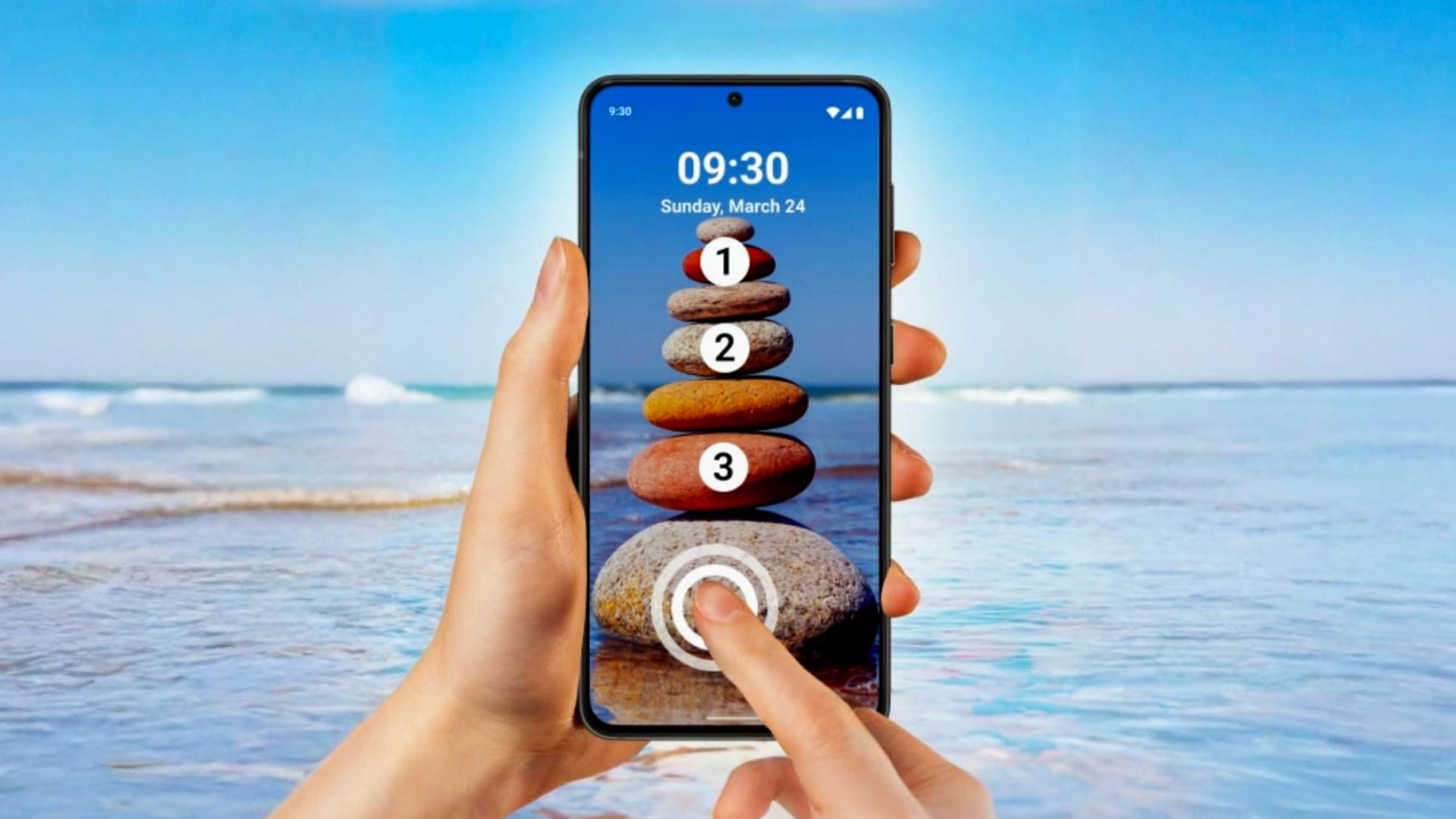
In today’s smartphone world, security and personalization go hand in hand. We all want our mobile phones to stay safe, but at the same time, we want them to look unique and stylish. If you are bored with the same old PIN, pattern, or fingerprint lock, then Touch Lock Screen – Touch Password With Photo is an excellent Android app to try.
This app allows you to unlock your phone using custom touch points on a photo, making your lock screen both secure and visually attractive.
What Is Touch Lock Screen – Touch Password With Photo?
Touch Lock Screen is a creative Android lock screen app where you can set a password by tapping specific areas on an image. Instead of entering numbers or drawing patterns, you unlock your phone by touching the correct points on your chosen photo.
This method is not only unique but also difficult for others to guess, giving your phone an extra layer of protection.
Why Choose Touch Lock Screen App?
1. Unique Touch-Based Password
Unlike traditional locks, this app lets you create a hidden touch password on any image. Only you know where to tap, making it highly secure.
2. Photo Lock Screen
You can set:
-
Your personal photos
-
Family pictures
-
Nature images
-
Stylish wallpapers
as your lock screen background, making your phone truly personal.
3. High Security with Style
The app combines strong security with visual beauty, so your lock screen looks attractive while keeping your data safe.
4. Easy to Use Interface
The app is simple and user-friendly. Setting a touch password takes only a few seconds, even for first-time users.
Key Features of Touch Lock Screen App
✔ Touch password with photo
✔ Custom background image support
✔ Secure and hidden unlock method
✔ Works without internet
✔ Lightweight and smooth performance
✔ Simple setup process
✔ Stylish lock screen design
How Touch Lock Screen Improves Security
Traditional PINs and patterns can be easily observed by others. But with touch password on an image, there are no visible clues. Even if someone sees your lock screen, they won’t know where to tap.
This makes the app ideal for users who want privacy, safety, and innovation in one place.
Who Should Use This App?
This app is perfect for:
-
Users bored with default lock screens
-
People who want a creative security solution
-
Those who love phone customization
-
Users who want both safety and style
-
Anyone who prefers a photo-based lock system
How to Set Up Touch Lock Screen on Android
-
Download the app from the Google Play Store
-
Open the app and select a photo
-
Set your secret touch points on the image
-
Save and activate the lock screen
That’s it! Your phone is now protected with a unique touch password.
Touch Lock Screen vs Traditional Lock Methods
-
PIN lock → Easy to guess
-
Pattern lock → Can be traced
-
Fingerprint → Hardware dependent
-
Touch Lock Screen → Hidden, creative & secure
This makes Touch Lock Screen a smart alternative to standard locking methods.
Final Thoughts
Touch Lock Screen – Touch Password With Photo is not just a security app—it’s a new way to personalize and protect your smartphone. With its unique unlocking method, stylish design, and easy setup, it offers something different from ordinary lock screen apps.
If you want your phone to stand out while staying secure, this app is definitely worth trying. Give your lock screen a personal touch and enjoy a smarter unlocking experience 🔒📱